Productivity
From Backlog to Delivery: Best Practices for Managing Jira Epics in Agile Teams
•
min read



Jira epics are meant to connect strategy with delivery in Agile teams, acting as a high-level issue type that groups related work into a single objective.
In practice, however, Jira epic management often becomes a challenge. Instead of providing clarity, epics can become vague, outdated, or disconnected from actual work. These issues are especially common in Jira environments, where flexibility allows teams to define epics in different ways without consistent structure.
This article explores Jira epics best practices and how to manage Jira epics effectively, from backlog to delivery, using practical and structured approaches.
Why Jira Epic Management Breaks Down in Most Agile Teams
Most teams don’t struggle because they don’t use epics. They struggle because they use them incorrectly.
Here’s what typically goes wrong:
#1. Epics are too vague
Many epics are written as high-level ideas with little structure. No clear scope. No acceptance criteria. No shared understanding.
👉 The result: teams spend more time clarifying work than delivering it.
#2: Epics are never updated
An epic might start with a clear goal, but after a few sprints, it no longer reflects reality.
👉 The result: epics become misleading instead of helpful.
#3: No visibility across teams
When multiple teams contribute to the same epic, tracking progress becomes difficult.
Without a clear structure, it’s hard to answer:
What’s done?
What’s blocked?
What still matters?
👉 The result: misalignment and duplicated effort.
These challenges highlight why Jira epic management requires more than just creating epics, it requires consistent structure and visibility.
Jira Epics Best Practices: What They Should Actually Do
A well-managed epic is not just a container for work.
To manage Jira epics effectively, an epic should:
Provide clear context for why work matters
Break down into deliverable, sprint-sized stories
Evolve as teams learn and adapt
Maintain visibility across teams and sprints
If your epics don’t do these things, they’re not helping your Agile process, they’re slowing it down.
1. Structure Epics So Teams Don’t Guess
The biggest issue with epics isn’t complexity -> It’s inconsistency.
Different teams define epics differently, which creates confusion and slows down planning.
👉 The fix is simple: standardize how epics are created.
To follow Jira epics best practices, every epic should include:
Clear objective
Scope boundaries
Acceptance criteria
Expected outcomes
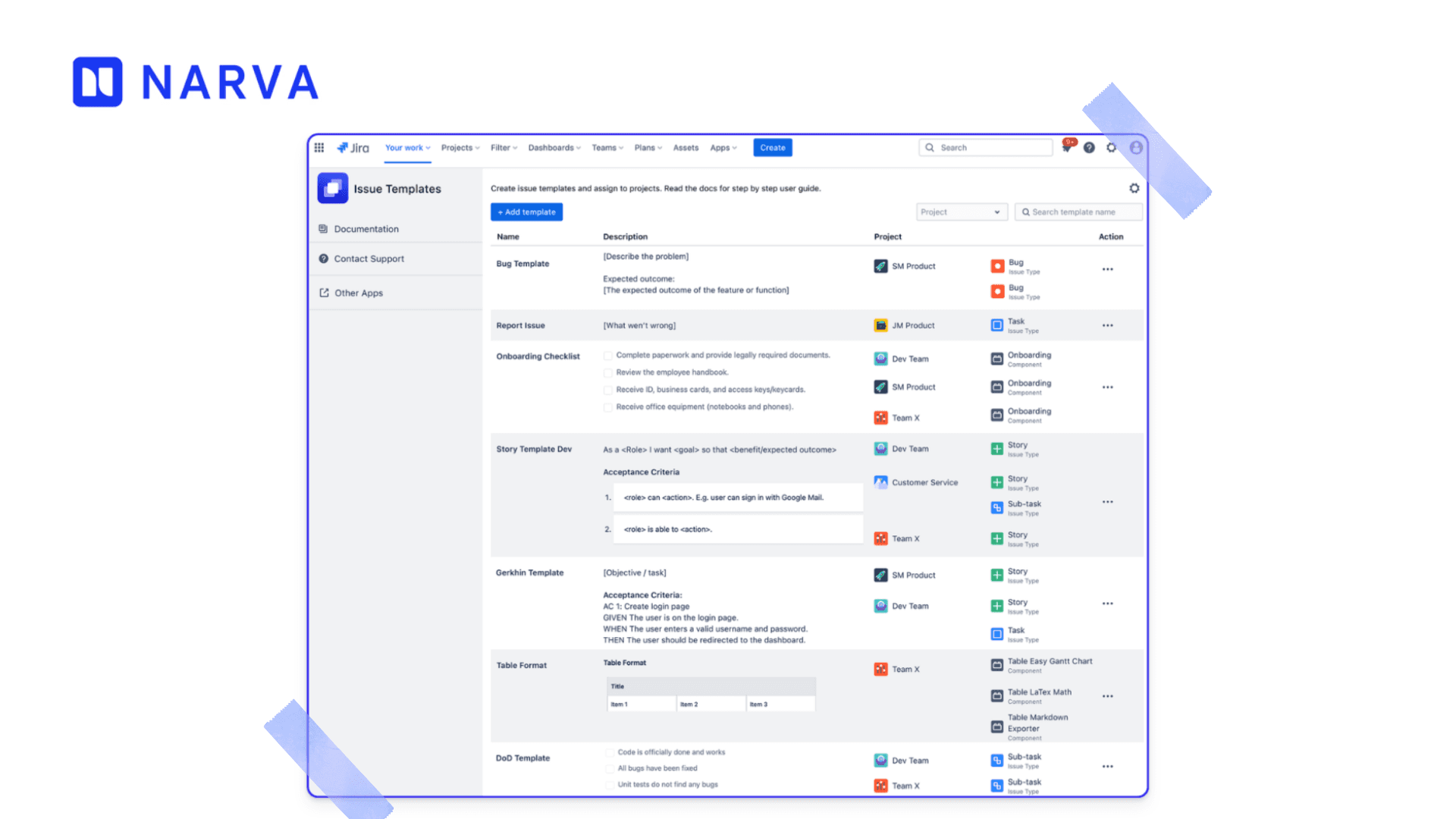
Instead of relying on tribal knowledge, teams can define a consistent structure for every epic, including scope, expected outcomes, and acceptance criteria.
In practice, this is where structured templating becomes valuable. Jira doesn’t provide native reusable templates out of the box, which often leads teams to rely on cloning or manual formatting, approaches that quickly break down at scale .
Issue Templates Pro for Jira address this by allowing teams to create reusable templates that automatically pre-fill issue fields, ensuring every epic follows the same structure and reducing the risk of missing critical information.
2. Break Epics Down Based on Value — Not Convenience
One of the biggest hidden problems in Agile teams is this:
👉 Epics exist — but no one sees them.
They sit in backlogs, disconnected from how work actually flows. As a result, teams struggle to answer simple questions:
User journeys
Business value
Deliverable outcomes
👉 This is where most prioritization problems start.
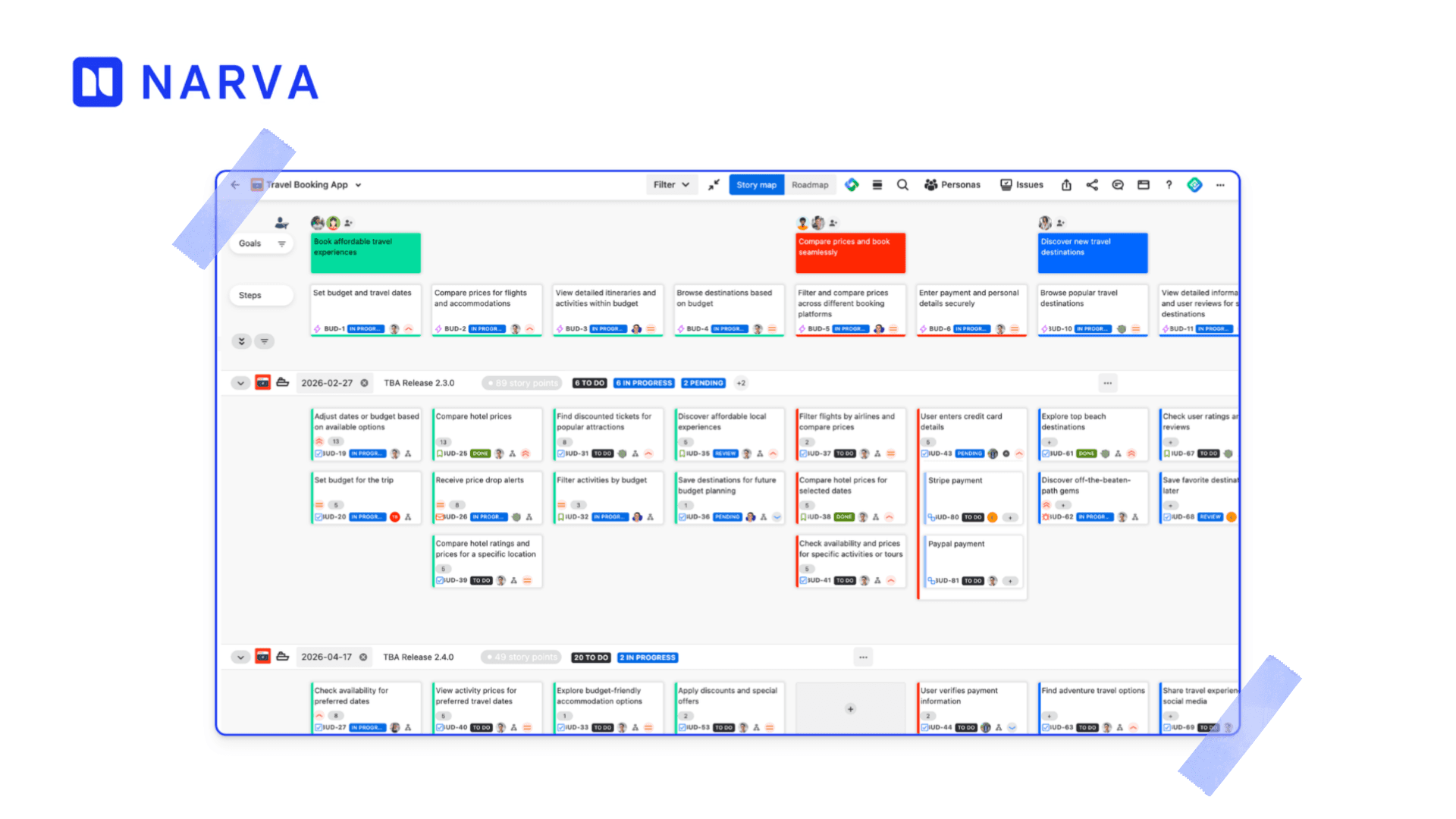
Visual approaches like user story mapping solve this by turning epics into a structured flow instead of a static list. Instead of reading through tickets, teams can see how work aligns across user journeys and goals. Standard Jira backlogs are powerful, but they don’t always provide a clear visual structure for how epics relate to each other.
Tools like ProductGo bring this directly into Jira by organizing epics horizontally as the backbone of planning, with related stories and tasks stacked underneath. This gives teams a clear, at-a-glance understanding of scope, dependencies, and priorities, something traditional backlogs often fail to provide.
3. Make Epics Visible — Not Just Documented
This is where Jira epic management often fails.
They plan epics carefully, but once development starts, the connection is lost.
👉 Did we actually deliver this epic successfully?
To manage Jira epics properly, visibility must extend beyond planning into execution.
This means linking epics to:
Delivery progress
Validation (testing)
Acceptance criteria
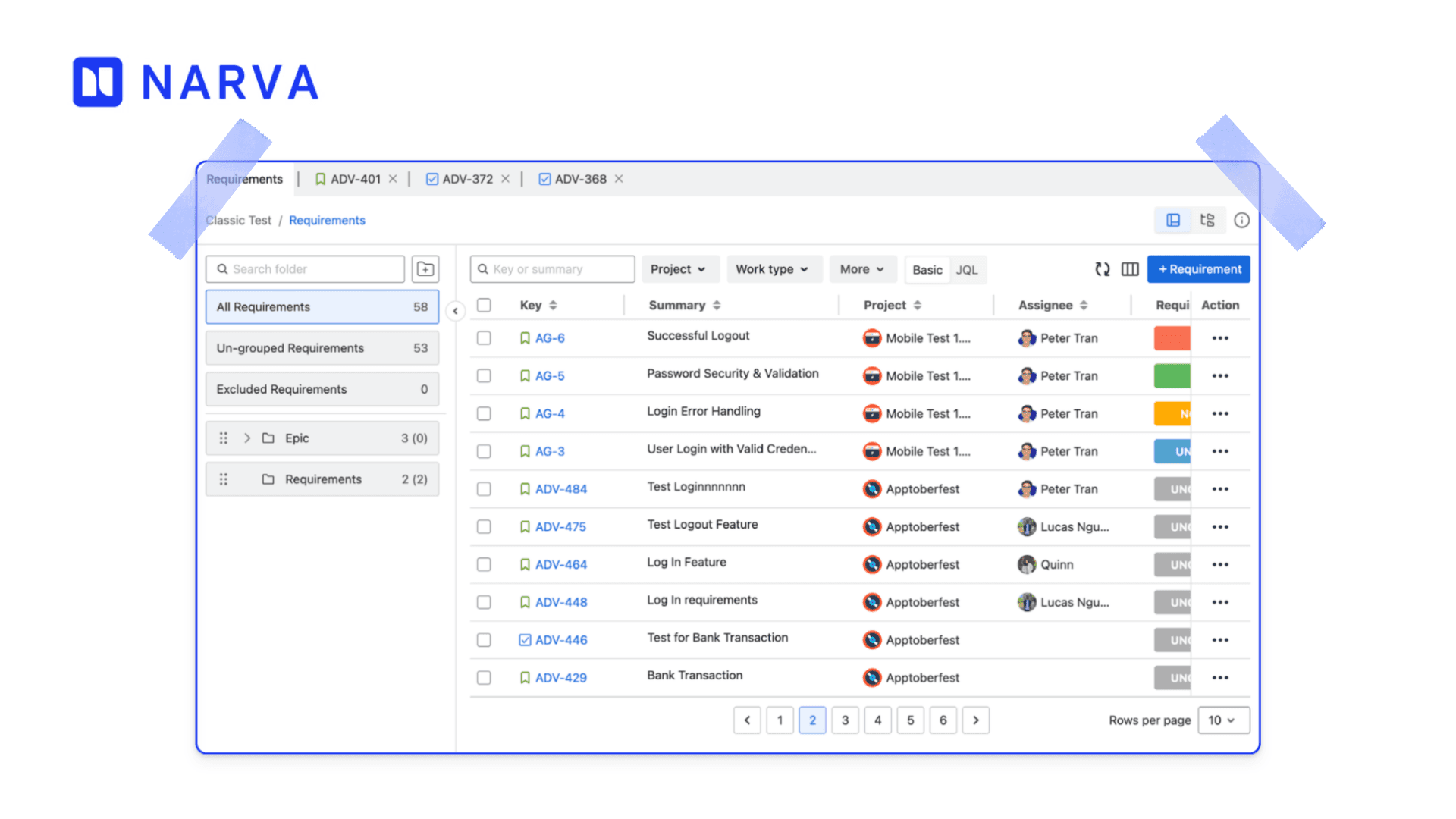
Modern Jira-based testing approaches solve this by integrating test management directly into the same workflow. Instead of managing testing in separate tools, teams can create, execute, and track test cases alongside backlog items — improving traceability and feedback loops .
Tools like AgileTest extend this further by allowing Jira teams to generate and link test cases directly from existing epics and stories from other Jira projects, ensuring that quality is continuously validated throughout delivery, not just at the end.
4. Prioritize Epics Continuously — Not Once
Effective Jira epic management is not static.
They define epics → rank them → move on.
But Agile doesn’t work that way.
To manage Jira epics effectively:
Re-evaluate priorities regularly
Split or merge epics when needed
Remove outdated scope
If your backlog stays static, your product becomes outdated.
5. Connect Epics to Delivery and Quality
This is one of the most overlooked aspects of Jira epics best practices.
Teams often focus on planning, but fail to validate outcomes.
To close this gap, teams must connect epics directly to:
Delivery progress
Testing and validation
Acceptance criteria
When testing is integrated into Jira workflows, teams gain full visibility into whether features meet expectations and are truly “done.”
From Backlog to Delivery: What Actually Works
Teams that manage epics well don’t do anything radically different.
They just do a few things consistently:
They structure work clearly from the start
They break epics into meaningful, valuable increments
They keep epics visible and updated
They connect planning directly to delivery and validation
That’s it.
No complex framework. No over-engineering.
Just clarity, consistency, and visibility.
Final thoughts
In Jira-based environments, effective Jira epic management is not just about organization, it’s about ensuring that every issue contributes to a clearly defined outcome.
When done right, Jira epics help teams:
Stay aligned with business goals
Deliver incrementally without losing direction
Adapt quickly without creating chaos
But when done poorly, they become confusing, outdated, and disconnected from real work.
👉 The difference lies in how well teams apply Jira epics best practices and how intentionally they manage Jira epics across the entire delivery lifecycle.

Nar is the founder of Narva Software and a former software developer with real-world experience using Atlassian tools. After facing the limitations of Jira and Confluence himself, he set out to build simple, effective apps that make teamwork easier. Today, his focus is on creating practical solutions that help teams work faster and smarter — and are trusted by companies around the world.